
Table of Contents
ToggleBattlefield 6’s Portal mode is a game-changer for players who want to break free from standard multiplayer and build something entirely their own. Whether you’re dreaming up a chaotic 32-player deathmatch on a custom-made map, a tactical competitive format, or a ridiculous party game that defies convention, the tools are there to make it happen. This is the feature that transforms you from just a player into a creator, and it’s more powerful than most people realize. If you’ve ever thought, “I wish the game had a mode like this,” Portal lets you stop wishing and start building. We’ll walk you through everything: from your first steps into the editor to publishing a fully realized custom experience that other players will actually want to jump into.
Key Takeaways
- Battlefield 6 Portal transforms you from player to creator by offering a visual, no-code game design suite with access to maps, weapons, vehicles, and mechanics from across the entire Battlefield franchise.
- Master Portal by starting with pre-built templates rather than a blank canvas, then learning the three core interface zones: the Logic Canvas, Object Inspector, and Palette to wire your custom experiences.
- Balance is critical for successful game mode creation—ensure both teams have symmetrical access to the same weapons, vehicles, and spawns while testing with friends and AI to identify overpowered loadouts.
- Leverage Portal’s advanced features like conditional logic systems, granular weapon customization (adjusting rate of fire, recoil, and damage), and environmental tweaks (gravity, weather, speed) to create distinct gameplay feels.
- Publish your Portal creation with searchable titles, detailed descriptions, and relevant tags, then gather player feedback through ratings and comments to iterate and patch your mode for long-term popularity.
- Common Portal issues like poor performance, spawn errors, and broken win conditions can be resolved by simplifying logic chains, verifying trigger connections in sequence, and playtesting before publishing.
What Is Battlefield 6 Portal?
Battlefield 6 Portal is the in-game creation suite that puts custom game design directly into your hands. It’s not a separate tool or external software, it’s baked into the game itself. Think of it as Fortnite Creative or Call of Duty’s custom games cranked up several notches. You get access to maps, weapons, vehicles, and game mechanics from across the entire Battlefield franchise (including legacy content from older titles), and then you wire them together into completely new experiences.
What makes Portal unique is the depth. You’re not just tweaking a few sliders and calling it a day. You can build logic chains that modify player behavior, set up conditional triggers, define win conditions, create spawn systems, and layer complexity that rivals actual game modes. A player with patient hands and creative vision can construct something that feels like a legitimate game mode, not just a gimmicky variant.
The mode became available during Battlefield 2042’s launch window and has evolved significantly since. Portal thrives because the community’s creativity is basically unlimited. You’ll see everything from faithful recreations of older Battlefield maps remixed with modern mechanics, to completely wild concepts that have nothing to do with traditional multiplayer gameplay.
What separates Portal from just playing the base game is the control. Every variable is adjustable. You set the player count, the loadouts they spawn with, whether vehicles are allowed, respawn delays, match length, and how teams are balanced. That flexibility is the real draw.
Getting Started with Portal: Essential Setup Steps
Jumping into Portal for the first time can feel overwhelming if you don’t know where to click. The interface is dense, but the logic is straightforward once you understand the basic flow. Here’s what you need to know to get off the ground.
Accessing the Portal Mode
From the main menu, select Multiplayer → Custom Game → Portal. You’ll land on the lobby screen. If you’ve never created anything before, the breadth of options might make your head spin, but don’t panic. Most creators start by modifying an existing template rather than building from scratch. You can load a pre-built game mode as your foundation and then tweak it. This is faster than starting blank and teaches you how the tools work at the same time.
To begin a new creation, you’ll select Create New Experience. You can choose to start from a blank canvas or load a template. Templates give you a head start: they’re pre-configured game types (Deathmatch, Conquest, Elimination, etc.) with basic rules already in place. You can fork from a template, then modify it to your liking. This is the smart way to learn.
Understanding the Main Interface
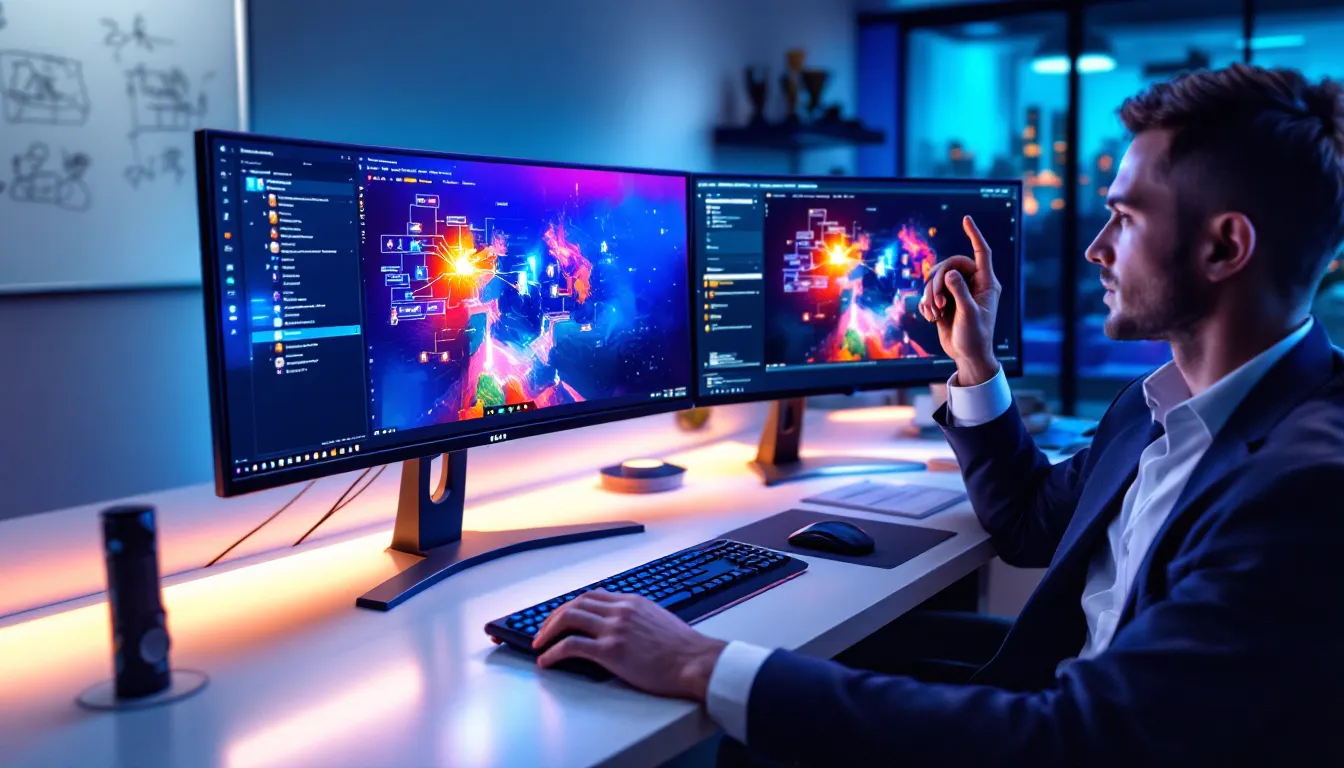
Once you’re in the editor, you’ll see several key zones: the Logic Canvas (the big central area where you build), the Object Inspector (properties panel), and the Palette (the toolbox on the left). The canvas is where the magic happens, this is where you drag in your components and connect them.
Every experience needs a few foundational elements: a map, player spawn points, objectives (if it’s not just a deathmatch), a win condition, and weapon spawns. The editor shows you these as blocks or nodes. You don’t write code: you snap together visual components. A Trigger (an event) connects to an Action (what happens as a result). For example: When player reaches objective → trigger win condition.
The workflow is: place a map, define the space, set up players, wire in the rules, test, iterate. Don’t worry about getting every detail right on the first pass. You’ll test your creation later, spot issues, and refine. That’s the process.
Game Mode Creation: Building Your Custom Experiences
This is where the real design work begins. Creating a game mode from the ground up involves layering decisions: what’s the core loop, how do players win, what’s the pacing, and how do you prevent it from becoming a chaotic mess?
Selecting Base Game Modes and Maps
Your first choice is the foundation. Are you building a Team Deathmatch variant, a Conquest experience, a Bomb Defusal style game, or something totally original? Each base mode comes with built-in logic. Team Deathmatch already knows how to count kills and declare a winner. Conquest already manages objectives and territory control. If you pick a mode that’s close to your vision, you inherit its framework and only customize the specifics.
Maps matter more than you’d think. Different maps play differently based on their flow, sight lines, and verticality. A tight urban map plays faster than a sprawling desert. Some maps favor vehicles: others are built for infantry combat. Browse through the available map library, you’ve got classic maps like Caspian Border alongside newer environments. Consider how your intended player count fits the space. A 32-player squad mode on a huge map might feel empty: a 16-player deathmatch on a small map becomes a spawn trap nightmare. Match the population to the geography.
You can also layer multiple maps into a single experience for rotation. Set up a playlist that cycles through three different environments across multiple rounds. Players appreciate variety over a long session.
Customizing Rules and Parameters
This is the second layer: modifying the behavior of the mode itself. Once you’ve picked your base, you adjust the knobs. How many kills does it take to win? Should there be a time limit? Can players use equipment? Do vehicles spawn, and if so, how many? Should certain weapons be restricted? Can specialists use their ultimates?
These choices shape the meta. A Deathmatch with no Rocket Launchers plays totally differently than one where heavy explosives are available. A Conquest mode where vehicles are disabled becomes a gunplay-focused slugfest. A mode where ammo is limited forces tactical decision-making. Think about what experience you want to create, then set the rules to support it.
You can also adjust TTK (Time-to-Kill) indirectly by tweaking damage values for specific weapons, or lowering player health. A mode where everyone starts with 75 health instead of 100 speeds up kills and makes combat snappier. These micro-adjustments compound into a distinct feel.
Balancing Gameplay for Fair Competition
Balance is the hardest part and the most important. An unbalanced mode isn’t fun, it’s frustrating. One team always wins, one weapon is obviously overpowered, or one loadout dominates to the point where there’s no reason to experiment.
Start by ensuring both teams have access to the same tools. If one side spawns with an AK-M and the other with a SCAR, you’ve already tilted the field. Symmetry matters. If you’re allowing vehicles, give both teams equal vehicle access and spawn locations. If you’re using specialists with ultimates, ensure both sides can pick from the same pool.
Weapon balance is nuanced. Some weapons should be stronger than others, that creates meaningful choices. But nothing should be so powerful that it’s the only viable pick. Test your mode with friends or the practice AI. Do certain loadouts dominate? Are there any weapons nobody uses? After a few test runs, you’ll spot imbalances. Adjust damage, recoil, magazine capacity, or availability to smooth out the power curve.
Map layout affects balance too. If one team’s spawn is closer to the objective, that’s a built-in advantage. Check sightlines, cover placement, and whether one side has a natural high ground. Respawning mechanics matter as well. If spawn points cluster in one area, that team gets predictable, leading to spawn camping. Spread spawns out, or randomize them. The goal is fairness without feeling sterile, good balance allows skill and strategy to shine without artificial advantages tilting the game.
Advanced Portal Features and Tools
Once you’ve grasped the basics, Portal opens up some sophisticated options. This is where you can build genuinely complex experiences that feel polished and intentional.
Logic and Conditional Systems
Portal’s logic system is visual programming. You’re not writing code, but you’re thinking like a programmer. Conditions and triggers power everything sophisticated. A Trigger fires when something happens (“player reaches checkpoint”). An Action is the result (“grant points” or “announce victory”).
More advanced: Conditional Logic. “If team A has more than 50 points AND it’s been more than 5 minutes, then do X.” These nested conditions create sophisticated rulesets. You can build a mode where specific weapons are disabled after a certain time limit, or where the winning team gets bonus currency, or where reinforcements spawn only when your team is losing.
Sequencing is critical. If you want an event to happen in a specific order, round starts, weapon spawns drop, 30 seconds later vehicles arrive, you string triggers together in sequence. The order matters. A well-designed experience has a rhythm: setup phase, play phase, conclusion phase. Logical sequencing creates that flow.
You can also build variables and counters. Track how many players have entered an objective, or how much time has elapsed, or custom scores. Use those variables to drive behavior. “When headshot counter reaches 10, reduce weapon ammo availability.” This kind of dynamic rulemaking keeps things fresh and prevents stalemates.
Weapon and Loadout Customization
One of Portal’s most powerful features is granular loadout control. You don’t just allow or disallow weapons: you tune them. Want to use the LCMG but make it fire faster? Adjust the Rate of Fire parameter. Want Headshot Damage to be one-hit kills? Crank that slider. You can modify Spread, Recoil, ADS Speed, magazine size, and dozens of other variables for each weapon.
This is how you create different metas. A mode where Sniper Rifles have zero Bullet Drop plays completely differently than one where sniping requires real skill. A Shotgun-focused mode where SMG damage is halved becomes a close-quarters slugfest. A Pistol-only mode teaches gun control and positioning in ways assault rifles never will.
You can restrict weapon pools too. Want a Carbine-only mode? Disable everything except carbines, set the spawn loadouts accordingly, and adjust the stats to match. Or build an escalating loadout mode where players start with pistols and unlock better weapons as they rank up within the match. The customization is genuinely deep.
Specialists’ gadgets are customizable too. Disable certain specialists outright, adjust cooldown times on abilities, or modify how many charges an ultimate gets before needing a refresh. Some modes disable gadgets entirely to focus pure gunplay.
Environmental and Visual Modifications
Beyond the mechanical layer, you can tweak how the world feels. Adjust the Gravity (go full Moon mode, or ramp up weight to make movement punchier). Modify Weather, a dense fog fundamentally changes how players engage. Change the Time of Day for different visibility and mood.
You can also adjust Player Size (tiny players bouncing around a normal-sized map is hilarious), Run Speed, Jump Height, and Health Regeneration Rate. These seem like fun tweaks, but they reshape the entire experience. A mode with double jump height and triple speed is a fast-paced aerial combat fest. A mode with slow movement and high gravity becomes a methodical, cover-focused slugfest.
Visual filters and overlays can reinforce your theme too. Is your mode a nostalgic throwback? Apply a retro filter. Building a dark, nighttime operative mode? Use visual effects to set mood. The environment isn’t just backdrop, it’s part of the gameplay feel.
Popular Portal Creation Ideas for 2026
If you’re not sure what to create, here’s a rundown of what the community has proven works. These aren’t just fun concepts, they’re popular, meaning people actually search for and play them. That’s validation that the design works.
Competitive Esports Formats
Competitive players have already bent Portal toward esports viability. Tactical Squad formats with restricted loadouts, limited equipment, and specific buy systems (inspired by games like CS:GO) are popular because they appeal to strategic minds. Teams earn credits per round, use those credits to buy better equipment, and must manage economy across multiple rounds. It requires planning and communication.
Scored Elimination modes with specific weapon restrictions (say, Assault Rifles only) attract tryhards because the playing field is level and skill determines the winner. No weapon advantage, no specialist cheese, just gunplay. These modes often become grassroots esports tournaments among friend groups.
Capture the Flag variations with modified movement speeds and elimination-based rounds (first to 5 rounds wins) borrow from proven competitive frameworks. Portal makes it trivial to set these up, test them, and refine them. Several esports organizations have actually used Portal to prototype experimental competitive formats.
The Playzonelegendshq site covers Battlefield 2042 Game Modes in depth, understanding the baseline modes gives you a foundation for competitive customization.
Community Favorites and Trending Modes
Some Portal creations have achieved cult status. Grappling Hook Only modes strip players down to movement and melee combat, leading to frantic aerial duels. Chainsaw Royale (a take on the absurd weapon, limited players, one weapon) becomes a comedy free-for-all. Gun Game style progressions, where you advance through a weapon ladder by getting kills, turn a mode into a skill-testing gauntlet.
Nostalgia modes are consistently popular. Creators rebuild classic Battlefield maps and modes from older entries, Operation Métro with Hardline mechanics, or Caspian Border as it was in Battlefield 3. These appeal to veterans who miss legacy gameplay. The Battlefield Game List showcases the franchise’s history: Portal lets you relive it.
Weekly theme events also trend. “Sniper-Only Thursday” or “Vehicles-Only Conquest” attract players looking for variation. The community’s creations feed discovery: players browse trending modes and jump in.
Casual and Party Game Variations
Not everything needs to be competitive. Hide and Seek modes, where one team hunts while the other hides and earns points for survival, are absurdly fun. Jailbreak, inspired by prison-break scenarios, has players work together to escape or guard a compound. Infection style modes, where dead players switch teams mid-match, create unpredictable chaos that’s never the same twice.
Giant vs. Pygmy modes use the size-scaling tools to create David-and-Goliath scenarios. One huge player takes on a squad of tiny ones. It sounds dumb and looks ridiculous, but the asymmetry forces creative thinking. Goofy modes like this pull casual players in and build community through shared laughter.
Cooperative survival modes, where your team fends off AI-controlled opponents across escalating waves, turn Portal into a cooperative experience. These appeal to players who want teamwork without the competitive pressure. The design philosophy shifts: you’re not trying to beat others: you’re trying to survive together.
You can Game Like Battlefield to understand what players seek in alternatives, which can inspire your own casual concepts.
Sharing and Publishing Your Portal Creations
Building something amazing is only half the journey. Sharing it, making it discoverable, and refining it based on feedback is the other half. Without visibility, even a brilliant mode stays unknown.
Making Your Mode Discoverable
Once your creation is ready, you publish it. Your mode gets a title, description, and tags. This metadata is crucial for discoverability. Use descriptive, searchable titles. “MLG Sweat Deathmatch” tells players what to expect: “Fun Game 123” doesn’t.
Tags are your friend. Include genre tags (Competitive, Casual, Sniper, Vehicles, Close-Quarters), difficulty tags (Beginner-Friendly, Advanced), and theme tags (Nostalgia, Party Game, Esports). Players browse by tags when hunting for modes matching their mood.
The description should be punchy. Tell players what makes your mode unique in 2-3 sentences. Is it a high-speed infantry deathmatch? A tactical round-based competition? A ridiculous party mode? Let them know immediately so they know whether to jump in.
You can also build a Community Code, a shareable link to your mode. Share it on Discord, Reddit’s Battlefield community, or gaming forums. Direct marketing gets your creation in front of players who’ll appreciate it. As it gains plays and positive ratings, the algorithm starts recommending it to more players organically.
Early adoption matters. If your first 50 players enjoy it and give it thumbs up, those signals bubble it up in trending lists. Word of mouth in the gaming community is powerful. One streamer playing your mode and saying it’s fun can drive thousands of players to try it.
Gathering Feedback and Iterating
Publishing isn’t the end: it’s the beginning of a feedback loop. Pay attention to player ratings, comments, and behavior. Does your mode have a 20% quit rate? That signals something’s wrong, either it’s not fun, it’s unbalanced, or it doesn’t deliver what the description promised.
Comments are gold. If five players say a weapon is overpowered, it probably is. If everyone praises the map layout, you got that part right. Use this intel to iterate. Update your mode with balance patches. Disable that broken weapon, adjust the spawn rate, tweak the win condition.
A good creator stays engaged. You’ll patch and refine multiple times after launch. The modes that stay popular are the ones that respond to feedback. Players notice when creators take their suggestions seriously, and loyalty builds.
You can also A/B test concepts. Create two versions of your mode, one with aggressive spawns, one with conservative spawns, and see which one players prefer. Portal’s ease of iteration makes experimentation low-cost. Failing is cheap, so you can afford to experiment.
Pro player settings and configurations from ProSettings can also inform competitive balance. If your mode targets esports audiences, understanding what sensitivity, keybinds, and control schemes pros use helps you tune your mode for competitiveness.
Troubleshooting Common Portal Issues
Even polished modes can hit snags. Here’s how to diagnose and fix the most common problems.
Performance and Stability Problems
If your mode runs slowly or stutters, something in your logic is eating resources. Overly complex trigger chains, too many simultaneous events, or inefficient conditionals can bog down the server. Simplify your logic. Ask yourself: do I really need this trigger firing every 0.1 seconds, or can it fire every second? Can I combine multiple actions into one sequence instead of stacking them?
Memory leaks are less common in Portal since the engine handles cleanup, but poorly designed repeating logic can slowly degrade performance over a long session. If your mode plays fine for 10 minutes then becomes choppy, you’ve probably got a leaking loop. Review any Repeat or Loop logic and ensure it has a clean exit condition.
Testing on different player counts helps surface issues. A mode that runs smoothly with 8 players might choke at 32. More players mean more events, more calculations, more server load. If a certain player count breaks your mode, reduce complexity or increase the server resources allocated.
Console performance is often the limiting factor. PC servers have more headroom than console servers. If your mode plays great on PC but lags on PlayStation 5 or Xbox Series X, you may need to reduce visual effects, simplify logic, or lower the player count cap.
Configuration and Logic Errors
The most common issue: players spawn without weapons or spawning in geometry. Check your spawn point placement. Are they actually in open space, or are you spawning people inside walls? Use the preview mode to visually confirm spawn locations. Also verify that your weapon spawn logic is wired correctly. If the trigger that spawns weapons never fires, players have nothing to pick up.
Another classic: win conditions don’t fire. A mode runs forever because the winning logic is broken. Double-check your Win Condition logic. Is it connected properly? Does it have the right threshold? If you want a 50-kill win and you’ve set the condition to 500 kills by mistake, nobody will ever win. Verify your numbers.
Team balance breaking: if one team always outnumbers the other, your spawn or elimination logic is off. Check whether your Respawn triggers are symmetric across both teams, or whether one team’s elimination logic is too aggressive.
Loadout issues: players spawn with wrong weapons, or wrong specialists. Verify your Loadout Configuration is assigned to the correct team slots. If red team has sniper rifles and blue team has assault rifles, and they’re spawning with mismatched weapons, your loadout assignment is crossed.
Sequencing problems: events happen in the wrong order, or skip entirely. Trace your trigger chains. Does the spawn point trigger fire before the weapon spawn trigger? Does the start-game trigger fire before the spawn setup? Logic must flow in a coherent sequence. Use Delays (“Wait 2 seconds before firing this trigger”) to stagger events and ensure proper order.
Use the Playtesting feature liberally. Before publishing, run your mode multiple times with practice AI or friends. Jump in yourself and play a few matches. Walk around the map and verify sight lines, spawn locations, and balance firsthand. Experiencing your own creation reveals issues that raw logic checking never would.
If something feels off, framerate drops, unexpected behavior, or balance issues, check the Portal forums and Discord. The community troubleshoots together, and someone’s probably solved your exact problem already. The Windows Central coverage of Xbox and PC gaming updates can also shed light on whether recent patches affected Portal stability.
Save your work frequently and version your creations. If a major update breaks your mode, you want to be able to revert to a previous version. Keep notes on what you changed and why, so debugging is easier when issues pop up.
Conclusion
Battlefield 6 Portal is genuinely empowering. You’re not constrained by what DICE shipped: you’re building custom experiences that reflect your vision. Whether you’re designing a hyper-competitive esports format, a nostalgic recreation of a classic mode, or an absolutely ridiculous party game, the tools and community are there to support you.
Starting is intimidating, the interface is dense and there’s a lot of depth. But the learning curve flattens quickly once you grasp that Portal is just connecting triggers and actions. Build something, test it, break it, fix it, publish it. Iterate based on feedback. The best creators in the community started as beginners too.
The creative ceiling is genuinely high. Some community creations rival official game modes in polish and engagement. That’s not hype, it’s demonstrated reality. Players actively hunt for compelling user-created experiences, and talented designers have built audiences and reputations around their Portal modes.
If you’ve ever thought about game design, Portal is your playground. And if you just want to play something outside the norm, the community’s creations await. The franchise has evolved to let players shape it, and that’s where Battlefield’s future lives.


